
On this page
Selling to another player

Agree a sale through one clear item offer. The seller selects the goods and price; the buyer reviews and decides whether to buy.
Offer an item
Approach within three metres of the buyer, aim at them and open the radial menu with the interaction key, E by default. Enter the trade section, select one of your available items and set a price greater than zero. Check your selection and send the offer.
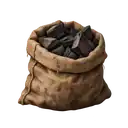
A brushwood bundle or a charcoal sack can be offered this way. The personal region chart and a delivery-task parcel are not offered to the buyer. Each offer covers one item.
Review the offer
The buyer opens the seller's menu, enters the trade section and chooses to review the item offer. The window does not appear without their action.
Before buying, check the item, quantity, condition and price. The offer covers one item at 100% condition. The buyer explicitly confirms or declines; sending an offer alone does not sell anything.
Wait for the outcome
The offer lasts 30 seconds. Stay near each other until confirmation. If either person dies, leaves the game or moves to another area, the offer cannot complete.
After the buyer agrees, wait for the outcome without repeating the sale while the reply is uncertain. A successful purchase gives the item to the buyer and the agreed payment to the seller. Each person can then check their own belongings and balance in Belongings (F7). A delayed panel update does not mean the trade should be repeated.
Keep the item and payment together
Do not split one agreed sale into a gift followed by a promise to pay. Use the item offer so the buyer reviews the same good and price that the seller selected. If the desired item is not offered in the list, choose another agreement rather than describe a different item in chat and assume it changed the offer.
After reconnecting, inspect your belongings and money and the previous outcome before replacing the item. A missing reply is different from a declined offer. A successful sale is not undone because one person closed its window.
Trade help
Enter /help trade for guidance on opening the selected person's radial menu and entering the Trade section. The seller offers an item; the buyer separately reviews the offer and accepts or declines.